

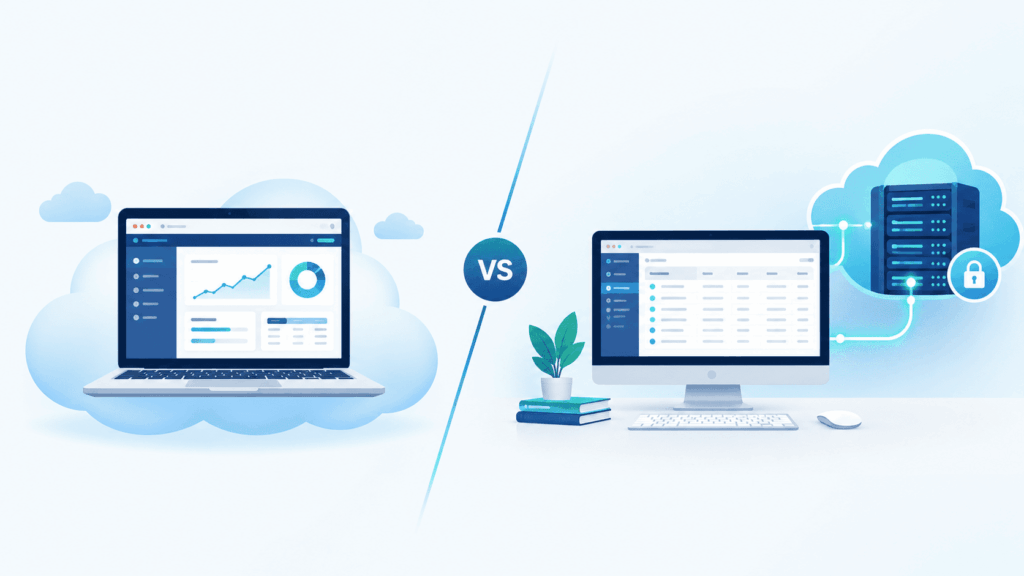
QuickBooks in the cloud means one of two things. It’s either QuickBooks Online, which Intuit runs in a browser, or QuickBooks Desktop installed on a remote server that your team logs into. They sound similar. They’re different products with different costs, features, and risks.
That mix-up is behind most of the bad decisions we see accounting firms make. Somebody hears “Desktop is going away,” panics, converts forty client files to Online, and then finds out half their reports don’t exist anymore. Or a firm stays on an old office server because moving feels risky, and ends up with a setup they can’t defend to an insurer.
This guide sorts it out. You’ll see what each option really is, what’s changed with Desktop, what both cost in 2026, how hosting works, and what the IRS and FTC expect from the setup underneath. We’ve linked to Intuit, the FTC, and the IRS throughout so you can check everything yourself.
Key takeaways
- QuickBooks Online is already cloud software. Intuit hosts it, and you don’t need a hosting provider.
- Hosted QuickBooks Desktop is the same Desktop or Enterprise program you use today, running on a remote Windows server.
- Desktop isn’t dead. Intuit stopped selling some editions to new US customers, but existing subscribers can renew and Enterprise is still sold.
- Online suits firms with simple books and lots of app integrations. Hosted Desktop suits firms that rely on advanced inventory, job costing, or heavy reporting.
- Hosting is priced per user, per month, on top of your QuickBooks license.
- Neither option makes you compliant by itself. You still need MFA, encryption, and a written security plan.
What does “QuickBooks in the cloud” actually mean?
It means you reach QuickBooks over the internet instead of from one office computer. There are four ways firms do that, and only two of them are worth choosing.
| Setup | What it is | Who runs it | Worth choosing? |
|---|---|---|---|
| QuickBooks Online | Intuit’s browser-based product | Intuit | Yes, for simpler books |
| Hosted Desktop or Enterprise | Your licensed Desktop on a provider’s server | A hosting provider | Yes, for complex work |
| Enterprise with Intuit cloud access | Enterprise hosted through Intuit’s partner | Rightworks | Yes, if QuickBooks is all you host |
| DIY remote access | An office PC or small server reached by VPN or a remote app | You | No |
QuickBooks Online runs entirely on Intuit’s systems. You sign in from a browser or the mobile app. There’s nothing to install and nothing to maintain.
Hosted Desktop keeps the Windows software you know. It’s installed on a server in a data center, and your team connects through a secure remote session. The screens, reports, and shortcuts are the same as before.
Intuit’s own cloud access is an add-on for Enterprise. It’s powered by Rightworks and billed per user, per month.
DIY remote access is the PC left on in the back office. It gets you in from home, but it isn’t hosting. One machine failing stops everybody, patching gets skipped, and logins usually get shared. We’d steer any firm that handles tax data away from it.
Is QuickBooks Desktop going away in 2026?
No. QuickBooks Desktop hasn’t been discontinued. Intuit closed some editions to new buyers and retired older versions, but existing subscribers can keep renewing and Enterprise is still on sale.
Here’s what’s actually happened, in order.
| Date | What changed |
|---|---|
| After Sept 30, 2024 | No new US subscriptions for Desktop Pro Plus, Premier Plus, Mac Plus, or Enhanced Payroll |
| May 31, 2025 | Desktop 2022 services ended |
| May 31, 2026 | Desktop 2023 services ended, including Enterprise 23.0 |
| August 2026 | Intuit said Desktop 2024 won’t be retired in May 2027 |
A few details matter here.
First, the 2024 change only affected new purchases. Intuit says existing Desktop Plus and Desktop Payroll subscribers aren’t impacted and can keep renewing. You can read that on Intuit’s stop-sell announcement. Enterprise subscriptions (Silver, Gold, Platinum, and Diamond) stayed available to new subscribers.
Second, when a version is retired, the program still opens. What stops is the stuff around it. For Desktop 2023, that meant payroll tax calculations, bank feeds, payment processing, live support, and security updates. The missing security updates are the real problem if you hold client tax data.
Third, and this is recent: in August 2026 Intuit moved away from its usual three-year lifecycle, and Desktop 2024 now gets continuing support with no sunset deadline. Intuit says it will keep that release current through in-product updates. That takes a lot of pressure off. If you’re on Desktop 2024, nobody’s forcing you to move next spring.
So if you’re on 2023 or older, upgrade. If you’re on 2024, you’ve got time to decide properly. Intuit can change its policy again, so check its support pages before you commit to a multi-year plan.
QuickBooks Online vs hosted Desktop: what’s the difference?
QuickBooks Online is a different product from Desktop. Hosted Desktop is the same product in a different place. Moving to Online changes how your team works. Moving to hosting changes where the software runs.
| QuickBooks Online | Hosted Desktop / Enterprise | |
|---|---|---|
| Where it runs | Intuit’s servers | A hosting provider’s server |
| How you log in | Browser or mobile app | Secure remote desktop session |
| Interface | New for Desktop users | Same as today |
| Pricing basis | Per company file, by plan tier | QuickBooks license plus per-user hosting fee |
| Users | 1 to 25, depending on plan | Per license, up to 40 on Enterprise |
| Advanced inventory and job costing | Lighter | Full Desktop and Enterprise features |
| Other software | Web apps through integrations | Windows apps can share the server |
| Getting there from Desktop | Data conversion | File copy and testing |
| Who patches and backs up | Intuit | The hosting provider |
Where Online wins
- There’s nothing to manage. Intuit handles updates and infrastructure.
- It connects to a huge range of web apps for payments, payroll, and e-commerce.
- A client can share access with their accountant in seconds.
- It’s a clean start for a new business with no Desktop history.
Where hosted Desktop wins
- Your reports, templates, and memorized transactions carry over untouched.
- Enterprise handles assemblies, multiple inventory sites, and detailed pricing rules.
- Staff don’t need retraining, which matters a lot between January and April.
- Tax software and document tools can sit on the same server.
- You get more say over where data sits and how it’s backed up.
The trade-offs nobody puts on the sales page
Online is priced per company. A firm doesn’t pay that for every client, the client does, but it means each client’s plan caps their users and features. And a Desktop-to-Online conversion isn’t always clean. Some data and report formats don’t carry over the same way, so plan time to check the results.
Hosted Desktop has its own cost. You’re paying for a license and for hosting. You also depend on your provider’s competence, so choosing a good one matters more than choosing a cheap one.
How does QuickBooks Desktop hosting work?
Your QuickBooks license is installed on a Windows server in a data center. Each user connects to that server through an encrypted remote session, and the program runs there instead of on their own computer.
For your team, a normal morning looks like this. They open the remote desktop app, enter their password, approve a prompt on their phone, and QuickBooks is there. It works on a Windows PC, a Mac, or a tablet, because the device is only showing the screen. Multi-user mode works as it always has, as long as you’ve got enough licenses.
Behind that, four things change.
Files live in one place. No more copies on laptops and a shared drive nobody trusts.
Updates have an owner. Windows and QuickBooks get patched on a schedule you’re told about.
Backups are automatic. A good provider also keeps copies off-site and tests restores.
Every person has their own login. When someone leaves, you disable one account.
One licensing point catches people out. Hosting doesn’t replace your QuickBooks subscription. With Intuit’s own cloud access, for example, Rightworks enforces one license per user, so adding a person who works at the same time as others means buying another seat.
Shared or dedicated server?
On a shared server, several firms use the same machine. It’s cheaper and can be fine for one or two users. On a dedicated server, the machine is only yours, so you aren’t competing for resources during the April rush and you can install whatever your firm needs.
For a firm running QuickBooks next to Drake or UltraTax, dedicated is usually the better fit. That’s the kind of environment TechFiscal builds as part of its IT and cloud hosting services for CPA firms.
How much does QuickBooks in the cloud cost in 2026?
Hosted Desktop costs your QuickBooks license plus roughly $30 to $85 per user each month for hosting. QuickBooks Online costs a monthly plan fee per company, from $38 at list price. The right comparison depends on how many users and company files you have.
Prices change often, so treat these as planning figures and confirm on the vendor’s own site.
QuickBooks Online plans
| Plan | Reported list price | Users included |
|---|---|---|
| Simple Start | $38/month | 1 |
| Essentials | $85/month | 3 |
| Plus | $140/month | 5 |
| Advanced | $340/month | 25 |
These are the list prices reported for billing cycles on or after August 1, 2026, when Essentials, Plus, and Advanced went up. Some pricing trackers still show the older figures ($75, $115, and $275), so check Intuit’s pricing page for your account. Payroll and payments cost extra. qifqbo
QuickBooks Enterprise
Published reseller pricing in mid-2026 puts a single user at about $1,873 a year for Silver, $2,210 for Gold, and $2,717 for Platinum, with Diamond billed monthly. Intuit no longer posts flat list prices on its own site, so get a real quote for your tier and user count.
Hosting fees
Third-party hosting generally runs about $30 to $85 per user per month, depending on user count, server type, storage, and add-ons. As a reference point from Intuit’s own hosting partner, Rightworks lists QuickBooks Hosting from $55 per user per month and its broader Cloud Hosting plan from $85.
What pushes the number up or down:
- Shared versus dedicated server
- Storage and backup retention
- Extra applications on the server
- Level of support and security tooling included
A quick worked example
Take a five-person firm on Desktop.
- Hosting at $30 to $85 per user is $150 to $425 a month.
- That’s $1,800 to $5,100 a year.
- The QuickBooks license is added on top of that.
Now compare it with what the same firm spends keeping Desktop in the office.
| Cost | Desktop on your own server | Hosted Desktop |
|---|---|---|
| QuickBooks license | Paid to Intuit | Paid to Intuit |
| Server hardware | Bought and replaced every few years | Included |
| Patching and upkeep | Your IT vendor, often hourly | Included |
| Backups | Separate tool, rarely tested | Included |
| MFA and security tools | Extra, often skipped | Usually included |
| Outages | You absorb the lost hours | Fewer, and fixed by the provider |
The last row is the one firms forget. Count the staff hours lost in your last outage and what the emergency call-out cost. When you add it up honestly, hosting usually lands close to what you already spend. If you’d like help with that math, our team can walk through it with you as part of a managed IT review.
Is hosted QuickBooks secure, and does it meet IRS and FTC rules?
A well-run hosted setup is usually more secure than an office server, because MFA, patching, and backups are enforced. But hosting alone doesn’t make a firm compliant. The rules apply to your whole security program, not to one piece of software.
Here’s the background. Tax preparers count as financial institutions under the Gramm-Leach-Bliley Act. The FTC Safeguards Rule, at 16 CFR Part 314, puts that law’s security requirements into practice for non-bank financial businesses. You can read the FTC’s own summary in FTC Safeguards Rule: What Your Business Needs to Know. paytia
The rule has nine elements: name a qualified individual, do a written risk assessment, put safeguards in place including MFA and encryption, monitor and test them, train staff, oversee service providers, keep the program current, write an incident response plan, and report in writing each year.
Two of those are very specific:
- MFA is required for anyone accessing an information system, unless the qualified individual approves an equivalent control in writing.
- Customer information has to be encrypted in transit over external networks and at rest.
Small firms get some relief, but not much. Firms under the 5,000-consumer threshold are excused from four of the nine requirements, yet they still need a qualified individual, MFA and encryption, staff training, service provider oversight, and a current program.
The IRS side lines up with this. IRS Publication 4557 explains how to safeguard taxpayer data, and Publication 5708 is the sample written plan. The August 2024 update to Publication 5708 added a requirement to implement multi-factor authentication, and security incidents affecting 500 or more people must be reported to the FTC within 30 days. PTIN renewal on Form W-12 also asks preparers to confirm they have a plan in place.
What this means for your QuickBooks decision
Look at the DIY setup again: shared passwords, no MFA, an unpatched PC. It misses the two most specific controls in the rule.
A proper hosted environment gives you those controls and something concrete to document. Your Written Information Security Plan has to describe where client data lives, who can reach it, and how it’s protected. That’s far easier to write when the answer is one hosted server with MFA and tested backups.
Keep three things in mind:
- Your hosting company is a service provider under the rule. You’re expected to pick one that can protect the data and say so in the contract.
- Moving to hosting changes your environment, so your plan needs updating. Our WISP guides cover what to include.
- Choosing Online doesn’t remove your duties. Intuit secures its platform. Your laptops, passwords, email, and staff are still yours to protect.
Should your firm choose Online or hosted Desktop?
Choose Online if your work is simple and you value integrations. Choose hosted Desktop if you depend on Desktop-only features or can’t afford to retrain staff. Many firms run both.
Hosted Desktop is probably right if
- Month-end depends on memorized reports and custom fields
- You use Enterprise inventory features
- Job costing drives how you quote and bill
- You work across many client company files every day
- Your tax and document software runs on Windows
- Senior staff are fast in Desktop and you’d like them to stay fast
Online is probably right if
- The books are straightforward
- You’re starting without any Desktop history
- You rely on web apps that plug into Online
- Your clients are mostly very small businesses with similar needs
- Nobody on your team wants to think about servers
You’re probably fine staying put for now if
- You’re on Desktop 2024
- Your office setup already has MFA, encryption, patching, and tested backups
- Your team rarely works remotely
That third list matters. Hosting isn’t right for everyone, and with Desktop 2024 no longer facing a set retirement date, there’s less urgency than there was a year ago. What you can’t do is leave an out-of-support version on a neglected machine.
How do you move QuickBooks Desktop to the cloud?
You inventory what you have, clean up the files, set up user access, pick a quiet weekend, copy the data, test it with real work, and then switch everyone over. A small firm with a clear scope can often finish in a couple of weeks.
- List what you run. Note your editions, versions, company files, file sizes, users, and every add-on that touches QuickBooks.
- Clean before you move. Archive dead files. Run verify and rebuild on active ones. Upgrade anything out of support.
- Set up access. Give each person their own account with MFA. Sort out printing, scanning, and local file saving early.
- Choose your window. Avoid January through April and quarterly deadlines.
- Build and copy. The provider sets up the server and installs your software, then transfers the files securely. Nobody works in the old files during the final copy.
- Test with real work. Have your heaviest users post transactions, run big reports, and print. Ask to see a test restore.
- Cut over and retire the old gear. Switch everyone, wipe the old server, and update your written security plan.
Most problems come from skipping step 2 or rushing step 6. TechFiscal’s cloud migration service scopes these up front so the weekend goes to plan.
What should you ask a QuickBooks hosting provider?
Ask where your data lives, how backups work, whether MFA is enforced, and what happens if you leave. A provider that answers these plainly is usually a safe choice.
- Is my firm on a shared or dedicated server?
- Which country and data center holds my data?
- How often do you back up, how long do you keep copies, and when did you last test a restore?
- Is MFA required for every user?
- Can you host my tax software and other Windows apps on the same server?
- What are your support hours in tax season?
- How do I get my data back if I cancel?
- Can you give me documentation for my security plan and insurer?
Also ask who looks after everything outside the server. Hosting protects QuickBooks. It doesn’t protect the laptop someone uses to reach it, or the email account that gets phished. That’s why firms often pair hosting with wider cybersecurity services, so one team is accountable for the whole chain.
Mistakes we see firms make
Converting everything to Online out of fear. Desktop 2024 is still supported. Decide on features.
Assuming hosting includes the license. It usually doesn’t. Budget for both.
Hosting an out-of-support version. You’d be paying to keep a security gap.
Leaving the old server running. A forgotten machine full of client data is an easy target.
Migrating in February. Just don’t.
Forgetting the paperwork. A new environment means an updated security plan and risk assessment.
The bottom line
You’re making three decisions here.
- Which product fits the work: Online or Desktop.
- If it’s Desktop, where it runs: your hardware or a hosted server.
- Who keeps it secure and documented.
For lots of accounting firms, hosted Desktop is the practical answer. The team keeps the software they know, remote work stops depending on a PC in the back room, and the security controls regulators ask about are built in. For others, Online is simpler and does everything they need.
If you’d like a second opinion, talk to TechFiscal. We’ll look at what you’re running and tell you plainly whether hosting, Online, or staying put makes the most sense.
FAQs
Is QuickBooks Online the same as QuickBooks in the cloud?
It’s one version of it. QuickBooks Online is Intuit’s own cloud product. Hosted QuickBooks Desktop is also “in the cloud,” but it’s the Desktop software running on a remote server.
Can QuickBooks Desktop be used in the cloud?
Yes. A hosting provider installs your licensed Desktop or Enterprise on a server, and your team connects remotely. Features and company files stay the same.
Do I need hosting for QuickBooks Online?
No. Intuit hosts Online. Hosting only applies to Desktop and Enterprise.
Is QuickBooks Desktop being discontinued?
No. Intuit stopped selling Pro Plus, Premier Plus, Mac Plus, and Enhanced Payroll to new US customers after September 30, 2024. Existing subscribers can renew, and Enterprise is still sold.
How much does QuickBooks hosting cost per user?
Usually about $30 to $85 per user per month, depending on server type, storage, and what’s included. Your QuickBooks license is a separate cost.
Do I still need a QuickBooks license with hosting?
Yes. Hosting covers the server and support. The license is still paid to Intuit, and each simultaneous user needs a seat.
How many users can work in hosted QuickBooks at once?
As many as your license allows. Enterprise supports up to 40. The server is sized to match.
Can I use hosted QuickBooks on a Mac?
Yes. The software runs on a Windows server and you connect with a remote desktop client, so Macs and many tablets work.
Is hosted QuickBooks safe for client tax data?
With a capable provider, yes. Look for enforced MFA, encryption, regular patching, and tested off-site backups. You’re still responsible for your own devices and users.
Does hosting make my firm FTC Safeguards compliant?
No. It supplies key technical controls like MFA and encryption, but you also need a qualified individual, a written security plan, staff training, and vendor oversight.
How long does it take to move QuickBooks Desktop to the cloud?
Often a couple of weeks for a small firm, with the actual switch done over a weekend. Larger setups with several applications take longer.
What happens if my internet goes down?
You can’t reach QuickBooks until you’re back online, and that’s true for Online too. Your data stays safe on the server. A mobile hotspot covers most short outages.