

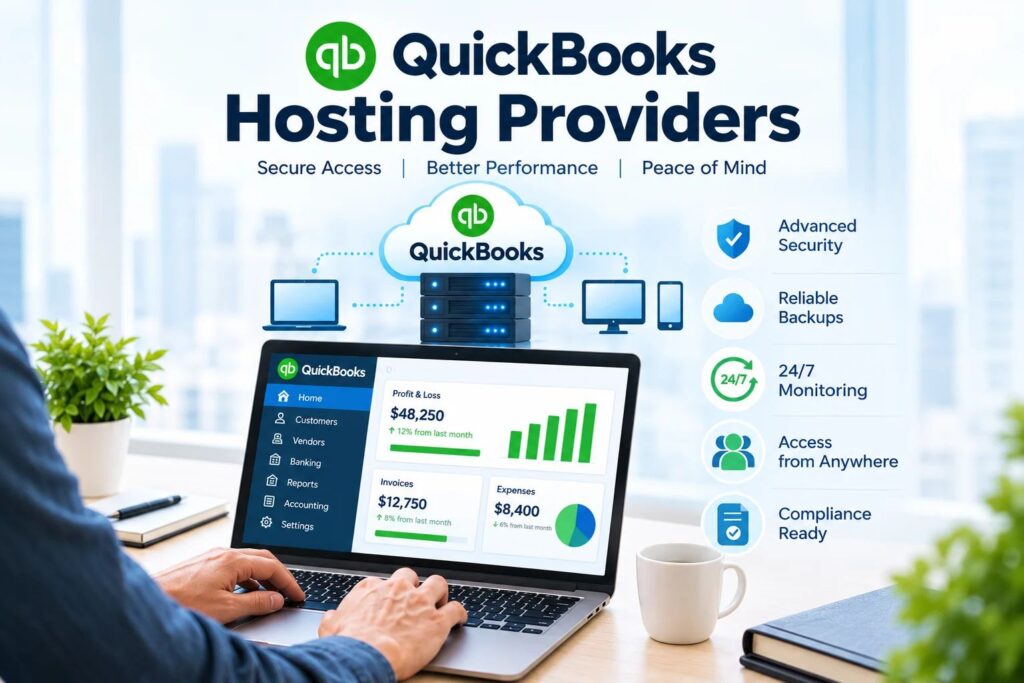
Quick answer: QuickBooks hosting providers run your licensed QuickBooks Desktop or Enterprise software on secure remote Windows servers, so your team can work in one company file from anywhere. In 2026, most providers charge roughly $30 to $75 per user per month, and CPA firms should shortlist only providers that appear on Intuit’s authorized hosting list, then compare them on security controls, backup design, uptime commitments, tax-season support and compliance documentation (WISP, FTC Safeguards Rule, IRS Pub. 4557).
If your firm still runs QuickBooks Desktop on an office server or a “remote-in” workstation, October is the right month to decide. Migrations take time, and nobody wants to move accounting data in the middle of filing season. This guide explains how hosting works, what it costs, which providers Intuit has authorized, how to evaluate them as a CPA firm, and what to check before you sign.
Key Takeaways
- QuickBooks hosting is not QuickBooks Online. Hosting moves the Desktop or Enterprise software you already use to a provider’s cloud servers. QuickBooks Online is a separate, Intuit-hosted product.
- Intuit maintains an authorized hosting list. As of the page update dated 8/4/2026, it names 21 providers. Intuit states that it does not endorse, certify, sponsor or guarantee any of them, so due diligence is still your job.
- Pricing varies widely. Entry plans start in the low $20s per user per month on promotional pricing, typical plans run $30 to $75, and dedicated or compliance-focused tiers can run $69 and above.
- Licensing is separate from hosting. You must hold a valid QuickBooks license for every user and version accessed through a host.
- For CPA firms, security and compliance matter more than price. Ask how the provider handles MFA, encryption, backups, logging, incident response and written security documentation.
- Timing matters. Run your evaluation in Q4, migrate before January, and use tax season to run, not to test.
What Is QuickBooks Hosting?
QuickBooks hosting means your licensed copy of QuickBooks Desktop (Pro, Premier, Accountant or Enterprise) is installed on a remote server managed by a hosting provider instead of on a local computer or office server. Your staff connects through a secure remote desktop session, and the provider handles the server hardware, Windows updates, backups and security tooling.
Intuit describes its Hosting Program in simple terms: you run QuickBooks Desktop and store your data files on a service provider’s servers, which lets you use QuickBooks securely, anywhere and anytime. Authorized third-party hosts can support QuickBooks Desktop Pro, Premier, Accountant Desktop and Enterprise Solutions.
QuickBooks hosting vs. QuickBooks Online
This is the single most common point of confusion in search results, so it is worth stating plainly:
| Factor | Hosted QuickBooks Desktop / Enterprise | QuickBooks Online |
|---|---|---|
| Product | The same Windows Desktop or Enterprise software you already use | A different, browser-based product |
| Where it runs | A remote server operated by a hosting provider | Intuit’s own cloud |
| Who manages the infrastructure | The hosting provider | Intuit |
| Feature depth | Full Desktop/Enterprise features, including advanced inventory, job costing and multi-entity reporting | Strong for general accounting, with some Desktop features missing or handled differently |
| Add-ons | Many Windows-based add-ons and tax tools can sit on the same server | Cloud app marketplace and APIs |
| Migration effort | Low functional change; mainly planning and testing | Requires data mapping and process changes |
| Third-party hosting needed? | Yes | No |
In short, hosting changes where QuickBooks runs. It does not change what QuickBooks is. That is why firms with long-standing Desktop workflows often choose hosting over a full platform switch.
What stays the same and what changes
What stays the same: your QuickBooks edition, your company files, your chart of accounts, memorized transactions, reports and the interface your staff already knows.
What changes: the server is no longer in your office. Instead of a closet server or a shared workstation, a provider runs the environment in a data center, applies patches, monitors performance, runs backups and manages user access. For a CPA firm without a full-time internal IT team, that shift removes a large amount of operational risk. If you want help thinking through the infrastructure side, TechFiscal’s Infrastructure as a Service and Cloud Migration pages explain how we approach it.
Why Are People Leaving QuickBooks Desktop in 2026?
This is one of the questions Google shows in its “People also ask” box for this topic, and it deserves a balanced answer. QuickBooks Desktop is not switched off in 2026. But several real changes are pushing firms to re-evaluate how they run it:
- Price increases. Intuit announced QuickBooks Desktop subscription increases effective February 1, 2026, or at each subscriber’s next renewal. One published example shows Pro Plus and Mac Plus moving from $999 to $1,149 per year for a single user. Community posts from long-time customers describe much steeper jumps on higher tiers, so check your own renewal notice.
- Stop-sell for new subscribers. After September 30, 2024, new U.S. customers could no longer buy several Desktop Plus products (Pro Plus, Premier Plus, Mac Plus and Enhanced Payroll). Existing subscribers can keep renewing, but new buyers are steered to QuickBooks Online or Enterprise.
- Rolling discontinuation of older versions. Intuit typically retires a Desktop version about three years after release. Retired versions can still open, but you lose security updates, official support and eventually connected services such as payroll and bank feeds.
- Security and compliance pressure. Regulators and cyber insurers increasingly ask accounting firms to prove they control access, patching, encryption and backups. An aging office server with an improvised VPN rarely passes that review.
- Remote and hybrid work. Partners and staff now expect to work from home, client sites and multiple offices without copying files around.
So “leaving QuickBooks” is often really “leaving the old way of running QuickBooks.” Some firms switch to QuickBooks Online. Many others keep Desktop or Enterprise and move it to a hosted environment. Either decision should be deliberate rather than reactive.
Does Intuit Offer QuickBooks Hosting?
Yes, in two ways.
1. The Intuit Hosting Program. Intuit authorizes third-party providers to host supported QuickBooks Desktop versions. The authorization is a documented relationship with Intuit, but Intuit’s own page is explicit that it does not endorse, certify, sponsor or guarantee the hosts’ services.
2. Hosted QuickBooks Enterprise. Intuit also sells a hosted option for QuickBooks Enterprise, delivered through Rightworks (formerly Right Networks). In this model you buy an Enterprise subscription that includes the hosting. It is generally aimed at firms or clients that want an all-Intuit route rather than a separate hosting contract.
Who supports what? Intuit’s guidance splits responsibilities this way:
- Your host handles hosting setup, installation, troubleshooting of hosting issues, basic technical support and, importantly, licensing for end users whose software is hosted.
- Intuit handles QuickBooks-specific product issues. Its support policies are the same whether QuickBooks is installed locally or hosted by an authorized host, and fees may apply depending on your support needs.
Which QuickBooks Hosting Providers Are Intuit-Authorized?
According to Intuit’s “Compare the best QuickBooks Desktop hosting providers” help article (updated 8/4/2026), the authorized hosts are:
AbacusNext, Ace Cloud Hosting, Apps4Rent, CloudVara, Coaxis, Infinitely Virtual, Itopia, MyVao, Nerds Support Inc., Netgain, Network Alliance, Productive Computing, ProSource, Proxios, Rightworks, SKYLINE Cloud, Summit Hosting, Swizznet, Tandem CloudTop, Virtual Systems and XenWingo.
A few important notes:
- Lists change. Providers are added and removed, so always re-check Intuit’s authorized hosting list before you sign.
- Some well-known names are not on the list. At the time of writing, several popular CPA-focused hosting brands (for example Verito and OneUp Networks) do not appear on Intuit’s published list. That does not automatically make them unsuitable, and some of them explain on their own sites that a host does not need Intuit authorization to run a properly licensed copy of QuickBooks. But it does change your support path, so ask them directly how licensing, version support and escalations to Intuit are handled.
- Authorization is not a quality score. It tells you the provider has a formal relationship with Intuit’s hosting program. It does not tell you how secure, fast or responsive the provider is during a February deadline crunch.
Which QuickBooks Hosting Provider Is Best?
There is no single best provider. The right answer depends on your firm size, QuickBooks edition, tax software, compliance obligations and budget. The table below summarizes what providers publicly emphasize. Treat it as a starting shortlist, not a ranking, and confirm every detail on the provider’s current pricing and terms pages.
| Provider | Intuit-authorized? | What it publicly emphasizes | Typically a fit for | Ask about |
|---|---|---|---|---|
| Ace Cloud Hosting | Yes | Shared and dedicated tiers, 99.99% uptime, rolling backups, free trial, promotional entry pricing around $19.50 per user per month for new customers | Small and mid-sized firms that want a low entry price and a trial period | Promotional vs. standard rate, backup retention, add-on pricing |
| Apps4Rent | Yes | Low published entry pricing, Microsoft and Citrix partner credentials, hosting for QuickBooks-integrated apps | Budget-conscious firms with a Microsoft-heavy stack | Support hours, dedicated vs. session-based plans |
| CloudVara | Yes | Free trial with no credit card and no long-term contract | Firms that want to test performance before committing | Server sizing and tax-software compatibility |
| Rightworks | Yes | Intuit’s hosting partner for Enterprise, geo-redundancy, 99.99% reliability, multi-tier plans | Firms that want an Intuit-aligned route or a large, established vendor | Tier differences, bundled apps, total per-user cost |
| Summit Hosting | Yes | Large QuickBooks and Sage hosting provider with enterprise and multi-location clients | Firms with larger user counts or Sage and QuickBooks together | Pricing tiers and onboarding timeline |
| AbacusNext and Netgain | Yes | Broader cloud platforms for accounting and professional-services firms | Mid-size and larger firms wanting a wider managed platform | Whether QuickBooks hosting is a core or secondary offering |
| CPA-focused hosts not on Intuit’s list (for example Verito) | Not on the published list at the time of writing | Dedicated private servers, SOC 2 Type II data centers, plans advertised from about $69 per user per month | Firms that prioritize dedicated infrastructure and bundled compliance tooling | Licensing responsibility, Intuit support path, exit and data-return terms |
How to read this table honestly
Most “best QuickBooks hosting” articles you will find are published by the hosting providers themselves, and each one ranks its own company first. That is not a criticism, it is just context. The only way to compare fairly is to use the same checklist for everyone, which is what the next sections give you.
How Much Does QuickBooks Hosting Cost in 2026?
Here are the published ranges that appear most consistently across provider sites and independent comparisons:
- Common range: about $30 to $75 per user per month, with shared servers usually at the lower end.
- Promotional entry pricing: some providers advertise rates near $19.50 per user per month for the first few months, which then rises to the standard rate.
- Standard and mid-tier plans: often $30 to $55 per user per month.
- Full-featured, dedicated or bundled tiers: typically from about $69 per user per month and higher. Third-party hosting for QuickBooks Enterprise and Intuit Enterprise Suite is commonly quoted at $49 to $99 per user per month depending on provider and service level.
A simple cost example
For an 8-user firm, the common $30 to $75 range works out to:
- Low end: 8 users x $30 = $240 per month, or $2,880 per year
- High end: 8 users x $75 = $600 per month, or $7,200 per year
Compare that range with what you already pay for server hardware refreshes, backup software, patching, after-hours IT support and the cost of downtime. For many small firms, the gap is smaller than expected.
What is usually not included in the hosting price
- QuickBooks licenses. Your Intuit subscription is separate and is still paid to Intuit or a reseller.
- Add-on applications. Tax software, document management and Microsoft Office hosting may be priced per user or per application.
- Extra storage. Large company files and document archives can push you past included storage.
- Premium support or compliance add-ons. Some providers charge extra for managed endpoint security, advanced logging or written security documentation.
- Migration and onboarding. Some include it, others charge a setup fee.
The hidden cost: downtime during tax season
A single multi-hour outage in February or March can cost a CPA firm far more in lost billable hours than a year of hosting fees. TechFiscal’s Tax Season Downtime Cost Estimator, available on our homepage resources section, helps you put a number on one hour of downtime for your own firm before you compare quotes.
Shared vs. VPS vs. Dedicated QuickBooks Hosting
Providers usually sell three server models:
| Model | How it works | Pros | Cons | Best for |
|---|---|---|---|---|
| Shared | Multiple clients share one server’s resources | Lowest price | Performance can dip at peak times; less isolation | Very small firms with light QuickBooks use |
| VPS | A virtual machine with reserved resources on shared hardware | Better performance and control for the price | Still shares physical hardware | Small to mid-sized firms |
| Dedicated | A server or virtual environment used only by your firm | Predictable performance, stronger isolation, easier to document for audits | Highest cost | CPA firms with sensitive client data, heavy tax software or larger teams |
For CPA firms, isolation matters because it limits “noisy neighbor” slowdowns during filing season and gives you a cleaner story to tell cyber insurers and regulators. If you want to understand the technology underneath, see TechFiscal’s VMware and Virtualization Consulting and Storage Solutions pages.
The CPA Firm Checklist: 12 Questions to Ask Every QuickBooks Hosting Provider
Use the same questions with every provider on your shortlist and keep the answers in writing.
1. Is the provider on Intuit’s authorized hosting list?
Check the live Intuit page, not the provider’s marketing. If they are not listed, ask how licensing, supported versions and Intuit escalations work.
2. Which QuickBooks versions and editions are supported?
Confirm Pro, Premier, Accountant and Enterprise support, plus how they handle annual version upgrades and Intuit’s rolling discontinuation policy.
3. How is access secured?
Look for enforced multi-factor authentication, encrypted remote sessions, unique user accounts (no shared logins), role-based permissions and session logging.
4. How are backups designed and tested?
Ask how often backups run, how long they are retained, whether copies are stored in a separate location, whether they are immutable (protected from ransomware deletion) and when the last restore test was performed. Retention claims range from nightly backups to multi-week rolling retention, so compare specifics.
5. What uptime commitment is in the contract?
A 99.9% to 99.99% uptime figure is common, but the real question is what happens when the provider misses it. Ask for the SLA credit terms and exclusions.
6. What do the data centers certify?
SOC 2 Type II reports, redundant power and network, geographic redundancy and documented physical security are all reasonable things to request.
7. Is support available when you need it?
Ask about 24/7 availability, average response time, whether support staff understand tax and accounting software, and whether you get a named contact during filing season.
8. Does it work with your tax and add-on software?
If you run UltraTax, Drake, Lacerte, CCH Axcess or document management tools, confirm they can live on the same environment and how licensing for those tools is handled.
9. How does it support your compliance documentation?
Tax preparers and financial-data handlers are expected to maintain a Written Information Security Plan (WISP) aligned with the FTC Safeguards Rule and IRS Publication 4557. Ask what evidence the provider can give you: data-center reports, security policies, backup logs and incident response procedures. Our WISP Compliance page and WISP Guide explain what firms are expected to document.
10. Who handles licensing?
Intuit says that if your QuickBooks is hosted, you contact your host for licensing needs. Make sure the provider is clear on whether you bring your own license or buy through them, and who pays Intuit-related hosting fees.
11. What are the migration terms?
Find out how long migration takes, whether it is included in the price, what downtime to expect and how they validate your company files after the move.
12. What happens if you leave?
Ask how quickly and in what format you can retrieve your data, whether there are exit fees and what the contract term is. Some providers make leaving difficult, so settle this before you sign, not after.
Hosted QuickBooks vs. QuickBooks Online vs. Staying On-Premises
Choosing a provider is only the second decision. The first is whether hosting is the right path at all.
Choose hosted QuickBooks Desktop or Enterprise if:
- You rely on advanced inventory, job costing, complex pricing or multi-entity reporting
- Your staff is deeply trained on the Desktop interface and you cannot afford a retraining cycle
- You run Windows-based tax, document or workflow tools alongside QuickBooks
- You want secure remote access without changing accounting platforms
Choose QuickBooks Online if:
- Your accounting is straightforward and you value native SaaS integrations
- You are launching a new practice with no deep Desktop history
- Most of your clients are small businesses with similar, simple needs
Stay on-premises only if:
- You have strong internal IT, patched and monitored servers, tested backups, enforced MFA and a documented security plan. For most small and mid-size CPA firms, that combination is harder and more expensive to maintain than it looks.
Many firms end up with a mix: QuickBooks Online for simpler clients and hosted Desktop or Enterprise for complex or heavily regulated ones. That is a valid strategy as long as it is documented and intentional.
Why a VPN and a “Remote Into the Office PC” Setup Is Not Real Hosting
Many firms improvised during the pandemic by leaving QuickBooks on one desktop and letting staff remote into it. These setups technically provide access, but they tend to share the same weaknesses:
- A single point of failure: one frozen PC or one failed disk stops the whole firm
- Inconsistent patching and weak access controls
- Shared logins, which make audit trails and access reviews difficult
- No after-hours support when something breaks the night before a deadline
Those weaknesses matter because cyber insurers and regulators now ask for evidence of MFA, patch management, tested backups and documented policies. A properly managed hosted environment, or a well-managed in-house environment with Remote Managed IT and Security Solutions, gives you a much better answer than an improvised remote desktop.
Licensing: What You Need Before You Host
The licensing rule is simple and non-negotiable: you must hold a valid license for every QuickBooks version and user you access through a hosting provider. Hosting does not replace or include the Intuit license unless you buy a bundled option.
Before migrating:
- Confirm your QuickBooks edition and version year
- Check that your version is still supported (versions about three years old lose support and some connected services)
- Confirm the number of licensed users and whether you need additional seats
- Decide whether you bring your own license or buy through the host
- Ask who contacts Intuit to associate your license with the hosted environment
If your version is too old, plan to upgrade during or before migration. Hosting unsupported software moves the security and compliance problem to a new location instead of solving it.
Timeline: How to Move QuickBooks to the Cloud Before Tax Season
A realistic plan for a small or mid-sized firm looks like this:
| When | What to do |
|---|---|
| Now to end of October | Inventory your QuickBooks versions, users, add-ons and file sizes. Check your renewal dates and pricing notices. |
| November | Build a shortlist of three providers. Ask the 12 checklist questions. Request written quotes and trial access. |
| Early December | Test performance with real company files and real users. Review contracts, SLAs and exit terms. |
| Mid to late December | Pick a low-activity window, freeze changes, migrate and validate. Providers commonly quote one to two weeks for a standard QuickBooks migration, though larger environments take longer. |
| Early January | Fix small issues, train users on remote printing and file access, update your WISP to reflect the new architecture. |
| Filing season | Run, monitor and avoid new changes. |
Step-by-Step: How a QuickBooks Hosting Migration Works
- Inventory the current environment. Record versions, editions, company file sizes, add-ons, user locations and when people use QuickBooks.
- Choose the hosting model. Decide on shared, VPS or dedicated, plus data-center region and compliance requirements.
- Plan user access and security. Define who gets access, map roles, enforce MFA and decide how printing, scanning and local drives will work.
- Pick a migration window. Choose a low-traffic period, tell users the schedule and freeze changes during the final copy.
- Build the hosted environment. The provider provisions the server, installs QuickBooks and supporting apps, and applies security tools and monitoring.
- Move and validate data. Copy company files securely, run QuickBooks verify and rebuild utilities, and have power users test posting, reporting, printing and integrations.
- Cut over and clean up. Switch users to the hosted environment, update documentation, retire old servers and update your written security plan.
If you want a second set of eyes on this project, TechFiscal’s Cloud Migration service starts with an infrastructure and compliance audit so you know your gaps before you commit to a plan.
Red Flags to Watch For
- A price that sounds too good. Low promotional rates are fine, but ask what the price becomes after the intro period.
- No clear licensing answer. If a provider cannot explain who handles your QuickBooks license, keep looking.
- Vague security claims. “Bank-level security” means nothing without specifics like MFA enforcement, encryption standards and audit reports.
- No restore testing. Backups that have never been restored are a hope, not a plan.
- Long contracts with difficult exits. You should be able to get your data back quickly and in a usable format.
- Generic support. If the help desk does not understand QuickBooks multi-user mode or your tax software, expect pain in February.
- No written compliance evidence. If they cannot give you documentation that supports your WISP, you will be filling the gap yourself.
How TechFiscal Helps CPA Firms Evaluate and Secure Their QuickBooks Environment
TechFiscal is a managed IT and compliance partner built for CPA firms. We are not a vendor trying to push you to a single hosting product. Our role is to help you make a defensible decision and then secure it.
We typically help firms with:
- A free IT and compliance audit that maps your current infrastructure, backups, access controls and security gaps
- Provider evaluation support, using the checklist above so every quote is compared on the same terms
- Cloud migration planning with minimal disruption, including testing and cut-over
- Ongoing monitoring and helpdesk through our Remote Managed IT service, with tax-season-first support
- Security controls such as endpoint protection, MFA enforcement and encryption through our Security Solutions
- Written compliance documentation, including WISP drafting and annual review under the FTC Safeguards Rule and IRS Pub. 4557, through WISP Compliance
Browse all TechFiscal services or read how we work. Solo practitioners and growing businesses can also see our Small Business IT page.
Frequently Asked Questions
Which QuickBooks hosting provider is best?
There is no single best provider for every firm. Start with Intuit’s authorized list, then compare providers on security controls, backup design, uptime commitments, tax-software support, compliance documentation and total per-user cost. CPA firms handling sensitive client data usually benefit from dedicated or well-isolated environments and clear written security evidence.
How much does QuickBooks hosting cost?
Most providers charge about $30 to $75 per user per month, with shared servers at the lower end. Promotional rates near $19.50 exist for new customers, while dedicated or bundled plans often start around $69 per user per month. Your QuickBooks license, extra storage, add-on apps and premium support are usually separate costs.
Does Intuit offer QuickBooks hosting?
Yes. Intuit runs a Hosting Program that authorizes third-party providers to host QuickBooks Desktop Pro, Premier, Accountant and Enterprise Solutions, and it sells a hosted QuickBooks Enterprise option delivered through Rightworks. Intuit notes that it does not endorse or guarantee the services of authorized hosts.
Why are people leaving QuickBooks?
Many users are reacting to higher Desktop subscription prices that began February 1, 2026, the stop-sell of several Desktop Plus products to new subscribers, the rolling retirement of older versions and growing security expectations. QuickBooks Desktop has not been shut down, and many firms stay on it by hosting it in a secure cloud environment.
Is QuickBooks Desktop being discontinued in 2026?
No. Intuit has stopped selling several Desktop Plus products to new U.S. customers and retires older versions on a rolling basis, but existing subscribers can keep renewing and Enterprise continues to be supported. Be cautious of low-quality pages claiming a hard end date, because some are built to push support-line phone calls.
Is hosted QuickBooks the same as QuickBooks Online?
No. Hosted QuickBooks is the traditional Desktop or Enterprise software running on a provider’s remote server. QuickBooks Online is a separate cloud product hosted by Intuit and does not need a third-party hosting provider.
Do I need a hosting provider for QuickBooks Online?
No. Intuit already hosts QuickBooks Online. Third-party hosting only applies to QuickBooks Desktop and Enterprise, which are installed Windows applications.
Do I need my own QuickBooks license if I use a hosting provider?
Yes, unless you buy a bundled license through the host. You must hold a valid license for every version and user accessed through hosting, and Intuit directs end users to contact their host for hosted licensing needs.
Is my QuickBooks data safe with a hosting provider?
It can be safer than an unmanaged office server if the provider enforces MFA, encrypts connections, runs monitoring, keeps tested off-site backups and uses audited data centers. You remain responsible for choosing a provider carefully and for documenting your safeguards in your WISP.
How long does it take to move QuickBooks to the cloud?
For a small or mid-sized firm with a clear scope, providers commonly quote one to two weeks including environment setup, file transfer, testing and cut-over. Larger environments with many add-ons or complex integrations take longer, so start in Q4 rather than January.
Can I access hosted QuickBooks from a Mac or tablet?
Generally yes. Because QuickBooks runs on a Windows server and your device only displays the remote session, Windows PCs, Macs, thin clients and many tablets can connect with a supported remote desktop client and your credentials.
What happens if my internet goes down?
You lose access to cloud systems until connectivity returns, but your data stays safe in the data center. Firms reduce this risk with a backup internet connection or mobile hotspot and a simple outage procedure.
Do CPA firms need a WISP if they use hosted QuickBooks?
Yes. Using a hosted or cloud platform does not remove your obligation to maintain a Written Information Security Plan. Your WISP should describe how client data is accessed, stored and protected, including your hosting arrangement. See TechFiscal’s WISP Compliance service for details.
Final Thoughts: Make the Decision Before the Rush
The QuickBooks decision in 2026 is no longer “old Desktop or new Online.” It is a question of where your accounting data lives, who protects it and whether you can prove that protection to clients, insurers and regulators. Hosting can be the right middle path for firms that depend on Desktop or Enterprise, but only if you choose the provider with a clear checklist and verify claims in writing.
Use October and November to evaluate. Use December to migrate. Use tax season to do the work you are paid for.
Ready to compare providers with a second set of expert eyes? Request a free IT and compliance audit from TechFiscal and we will map your current QuickBooks environment, flag security gaps and help you evaluate your options before filing season starts. You can also explore more IT and compliance guidance on the TechFiscal blog.
Disclosure: Provider details, pricing and authorization status come from public sources and Intuit’s help pages as of October 2026 and change frequently. Always confirm current terms directly with each provider and on Intuit’s website before purchasing. TechFiscal does not guarantee or endorse any specific hosting provider. Intuit and QuickBooks are registered trademarks of Intuit Inc.