There’s a new scam making the rounds, and it’s got a nasty trick up its sleeve: it gets the victim to install the malware themselves. It’s called ClickFix, and if you haven’t heard of it yet, you probably will soon. Malicious links using this technique jumped nearly 400% in just twelve months, and researchers recently found it running on more than 5,400 compromised websites across over 2,200 organizations worldwide. It’s not some rare, niche threat anymore. It’s mainstream.
And here’s the part that should really get a CPA firm’s attention: this isn’t random. Accountants sit on exactly the kind of data ClickFix is built to steal — client logins, financial credentials, cloud accounting passwords. One popup, one paste, and it’s gone.
What Is a ClickFix Attack, Exactly?
ClickFix is a social engineering attack that convinces people to run malicious code on their own computer, using their own hands. Instead of attackers breaking in from outside, they trick you into opening the door from inside.
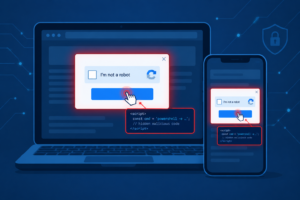
It usually shows up disguised as something completely mundane — a CAPTCHA check, a “verify you’re human” prompt, a browser update notice, or an error message on what looks like a normal website. The page tells you there’s a problem, and conveniently offers you the “fix”: copy this short bit of code, paste it into your computer, and press Enter.
That’s it. That’s the whole attack. No sketchy download, no suspicious attachment — just you, following instructions that feel routine.
How Does ClickFix Actually Work?
The exact wording changes from campaign to campaign, but the mechanics stay pretty consistent:
- You land on a fake or compromised page — through a phishing email, a malicious ad, a hacked website, or even a fake Reddit ad, which is exactly what happened in a recent campaign where attackers compromised an HBO Max advertiser account to push the scam.
- The page shows a fake problem: a CAPTCHA that “failed,” a document that “won’t open,” a security check that needs “verification.”
- You’re told how to fix it — usually by pressing Win + R (opens the Run dialog on Windows) or, in a newer version Microsoft flagged in early 2026, Win + X then I (opens Windows Terminal, which looks a lot less alarming than Run).
- You’re told to press Ctrl + V to paste, then Enter.
- The pasted content isn’t what you think. It’s a command that quietly downloads and runs malware — often through PowerShell, which is a legitimate Windows tool that’s normally used for IT administration.
- From there, it’s off to the races: password theft, remote access tools, crypto-wallet draining, or a foothold for something bigger like ransomware.
Mac users aren’t off the hook either. A recent campaign used the same fake-CAPTCHA trick on Mac, pointing victims to Terminal instead of Run, and dropped a Go-based stealer built specifically for Apple’s M-series chips. It went after browser passwords, Apple Keychain data, and cryptocurrency wallets — including a “drain” feature that moved funds straight to the attacker’s wallet.
Why Does It Slip Past Antivirus So Easily?
This is the part that trips people up. PowerShell and Terminal aren’t malware — they’re built-in tools that IT teams use every single day. When you run a command yourself, your antivirus doesn’t see “malware installing.” It sees a normal user running a normal system tool. There’s no infected file to scan, no attachment to flag.
That’s really the whole trick behind ClickFix. It doesn’t try to sneak malware past your defenses. It convinces you to disable your own judgment and do the attacker’s job for them.
Real ClickFix Campaigns Making Headlines Right Now
This isn’t theoretical. A few examples from recent months:
- The Reddit/HBO Max incident (September 2026): Attackers compromised an HBO Max account that was authorized to run ads on Reddit, then used it to push fake ads leading to ClickFix pages targeting both Mac and Windows users.
- The 5,400-website campaign: Netskope Threat Labs found malicious ClickFix code injected into JavaScript files and fake plugin folders on WordPress and PrestaShop sites, with several hundred sites actively serving the attack on any given day. Some versions even used blockchain infrastructure to store attack instructions, making the whole thing harder to take down.
- State-sponsored groups are testing it too: Between October 2024 and January 2025, Proofpoint tracked four state-linked hacking groups — including North Korea’s TA427 and Russia’s APT28 — experimenting with ClickFix in espionage campaigns against researchers, defense-industry targets, and Middle Eastern organizations.
When cybercriminals, ransomware crews, and state-sponsored hackers are all reaching for the same technique, that tells you it works.
Why This Matters More for CPA and Accounting Firms
Most generic “here’s a scary new virus” articles stop there. But if you run or work at an accounting firm, this one deserves a closer look — for a few reasons specific to your business.
You hold data attackers actually want. Client Social Security numbers, bank details, tax records, cloud accounting logins — that’s a direct match for what ClickFix is designed to steal.
Tax season makes staff more vulnerable, not less. When people are moving fast and juggling deadlines, they’re less likely to pause and question a popup that says “click here to fix this.” That’s exactly the window ClickFix relies on.
It’s not just an IT problem — it’s a compliance problem. Under IRS Publication 4557 and the FTC Safeguards Rule, firms are required to have a Written Information Security Plan (WISP) that includes employee security awareness training. A ClickFix-style scam is a genuinely useful, real-world example to build that training around — it’s specific, current, and easy for non-technical staff to understand. If your firm’s WISP training hasn’t been updated with anything from the past year, this is worth adding.
One compromised login can cascade. A stolen set of credentials from a single staff member’s laptop can open the door to your firm’s entire client file system, not just that one machine.
How to Tell If You’ve Already Been Hit
A few warning signs to watch for:
- You (or a staff member) recently pasted and ran a command after a website prompt
- Unexpected PowerShell or Terminal activity, especially right after visiting an unfamiliar site
- Browser settings that changed on their own, or new extensions you didn’t install
- Unusual login alerts on email, banking, or cloud accounting accounts
- Slower performance or unfamiliar programs showing up in your installed apps list
If any of that rings a bell, don’t wait to find out for sure.
What to Do If Someone Already Ran the Command
Speed matters more than perfection here. If a command was executed:
- Disconnect that device from the network immediately — pull the ethernet cable or turn off Wi-Fi to stop data from leaving.
- Change passwords from a different, clean device — start with email, banking, and any cloud accounting or client portal logins.
- Run a full antivirus/endpoint scan on the affected machine.
- Check for unfamiliar installed programs or browser extensions and remove anything you don’t recognize.
- Reset browser settings if there’s any sign of tampering.
- Call in a managed IT provider before assuming it’s clean. ClickFix payloads are built to persist quietly, and a surface-level scan can miss deeper access an attacker set up.
How to Actually Protect Your Firm
The fix here isn’t more antivirus. It’s changing the habit before it becomes a click.
- Train staff on the one rule that matters: no legitimate website ever asks you to open Run, PowerShell, or Terminal to “verify” anything. If a page asks for that, close it.
- Restrict scripting rights for staff who don’t need PowerShell access as part of their actual job.
- Monitor for command execution triggered from a browser — that combination is a strong ClickFix signal.
- Give staff an easy way to report something suspicious, without worrying they’ll get in trouble for asking.
- Fold this into your annual WISP review rather than treating it as a one-off email that gets forgotten by next quarter.
If you’re not sure where your firm actually stands on any of this, that’s what a free IT and compliance audit is for — it’ll show you the gaps before an attacker does.
FAQs
What is a ClickFix attack?
It’s a social engineering scam where a fake website — often disguised as a CAPTCHA, security check, or update notice — tricks you into copying and running a malicious command on your own device, usually through the Windows Run dialog, PowerShell, or Mac Terminal.
How does ClickFix malware infect a computer?
It doesn’t infect your computer on its own — you do it for the attacker. The fake page walks you through opening a system tool and pasting in code, which then downloads and runs the actual malware.
Can Macs get infected by ClickFix?
Yes. Mac-targeted campaigns use the same fake-CAPTCHA approach but direct victims to Terminal instead of the Windows Run dialog. Recent versions have installed stealers built specifically for Apple’s M-series chips, targeting browser passwords, Keychain data, and crypto wallets.
Does antivirus stop ClickFix attacks?
Not reliably. Because you’re the one running a legitimate system tool like PowerShell, there’s no malicious file for antivirus to catch in the moment. Antivirus can still catch the payload afterward, but the initial trick usually gets past it.
How do I know if I’ve been infected by ClickFix?
Watch for unexpected PowerShell or Terminal activity, browser settings that changed without you touching them, unfamiliar programs, or login alerts on accounts you didn’t try to access.
What should I do if I already pasted and ran the command?
Disconnect the device from the network right away, change your passwords from a separate device, run a full antivirus scan, and get a managed IT provider to check for anything the scan might have missed.
Why is ClickFix increasing in 2026?
It works, and it’s cheap to run. Malicious ClickFix links grew nearly 400% year-over-year, and the technique has spread from cybercriminal groups to state-sponsored hackers because it consistently bypasses traditional malware defenses.
Are CPA and accounting firms specifically at risk?
Yes, more than most small businesses. Accounting firms hold exactly the kind of financial and personal data ClickFix is designed to steal, and under IRS Pub. 4557 and the FTC Safeguards Rule, firms are required to train staff on threats like this as part of their WISP obligations.